EN

User Hate Surprises

User Hate Surprises

User Hate Surprises

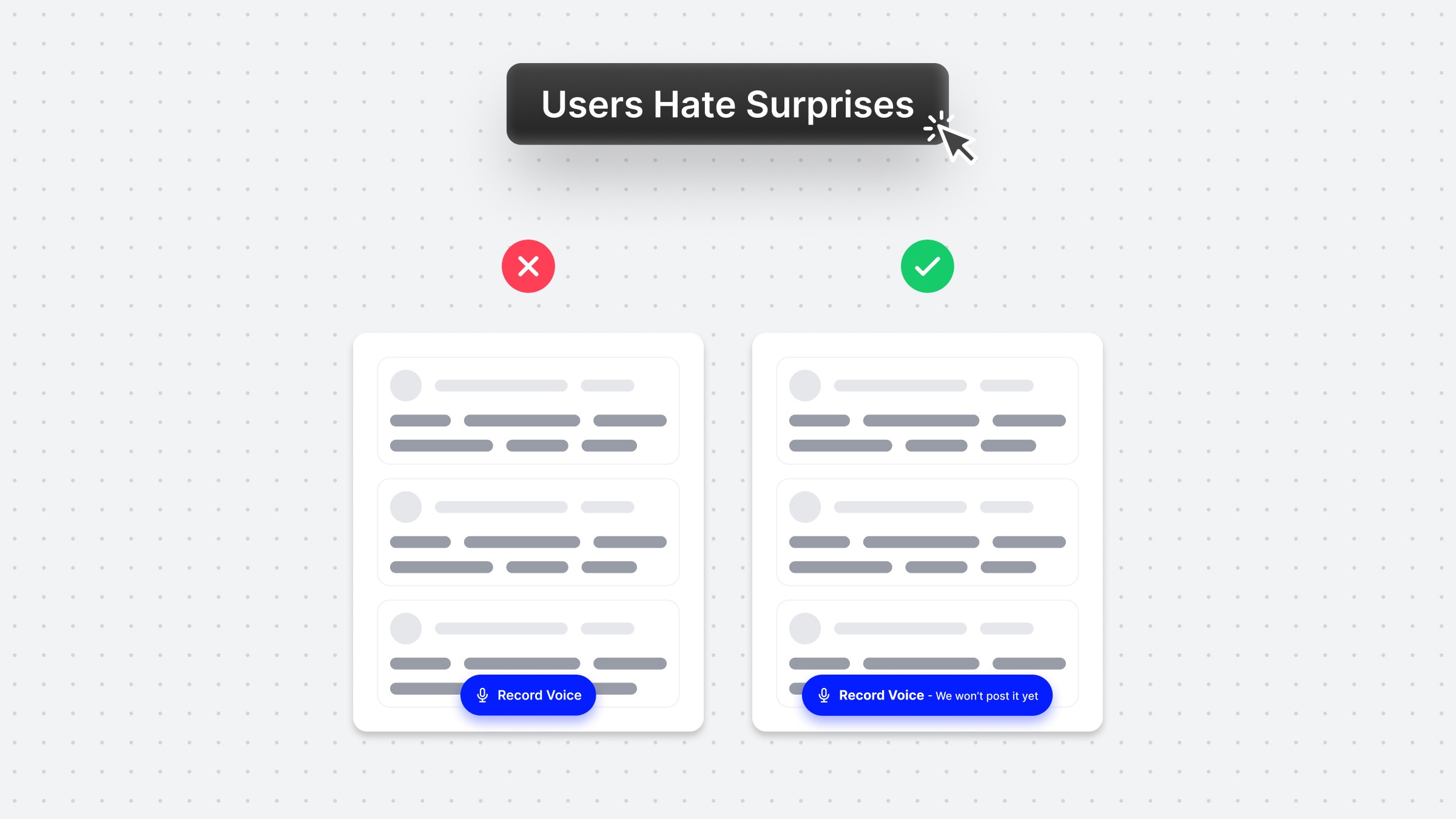
With a simple UX copy adjustment, you can avoid misunderstandings and upgrade your product experience.⠀ ⠀ This is a real-life example from the voice messaging app Yac.⠀ ⠀ I literally spend 30' wondering if the app will auto-post my voice message in the channel or allow me to hear and edit it first.⠀ ⠀ In the end, I recorded it on my phone and hit the "Record" button with the recorded message ⠀ A tiny detail can introduce so much friction!⠀

More to explore
More to explore
More to explore
Prioritize UX

Prioritize UX

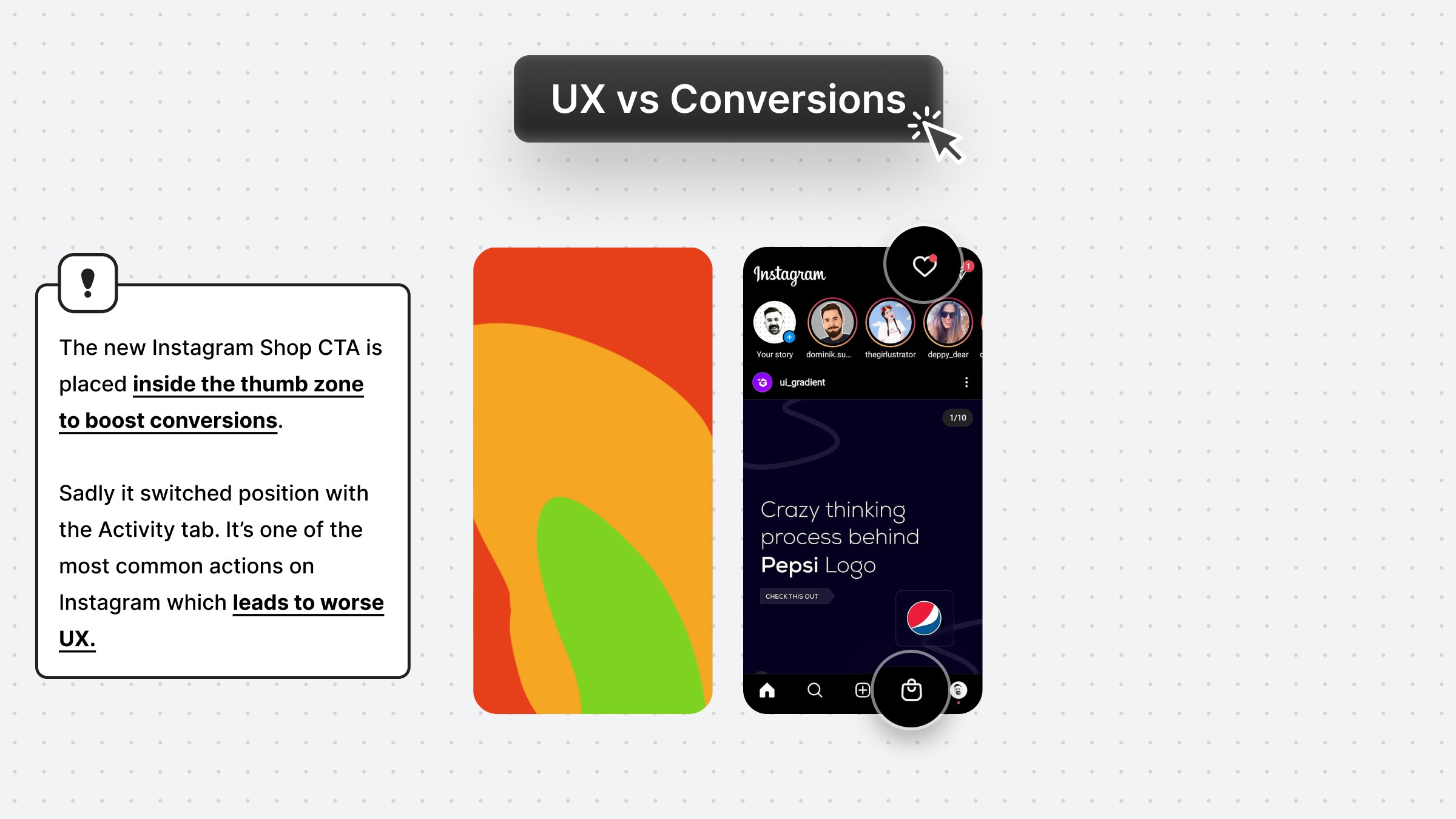
Instagram recently launched Shop. The decision to place it at the position of the Activity tab is not random...

Prioritize UX

Prioritize UX

Instagram recently launched Shop. The decision to place it at the position of the Activity tab is not random...

Prioritize UX

Prioritize UX

Instagram recently launched Shop. The decision to place it at the position of the Activity tab is not random...

Hack Visual Hierarchy

Hack Visual Hierarchy

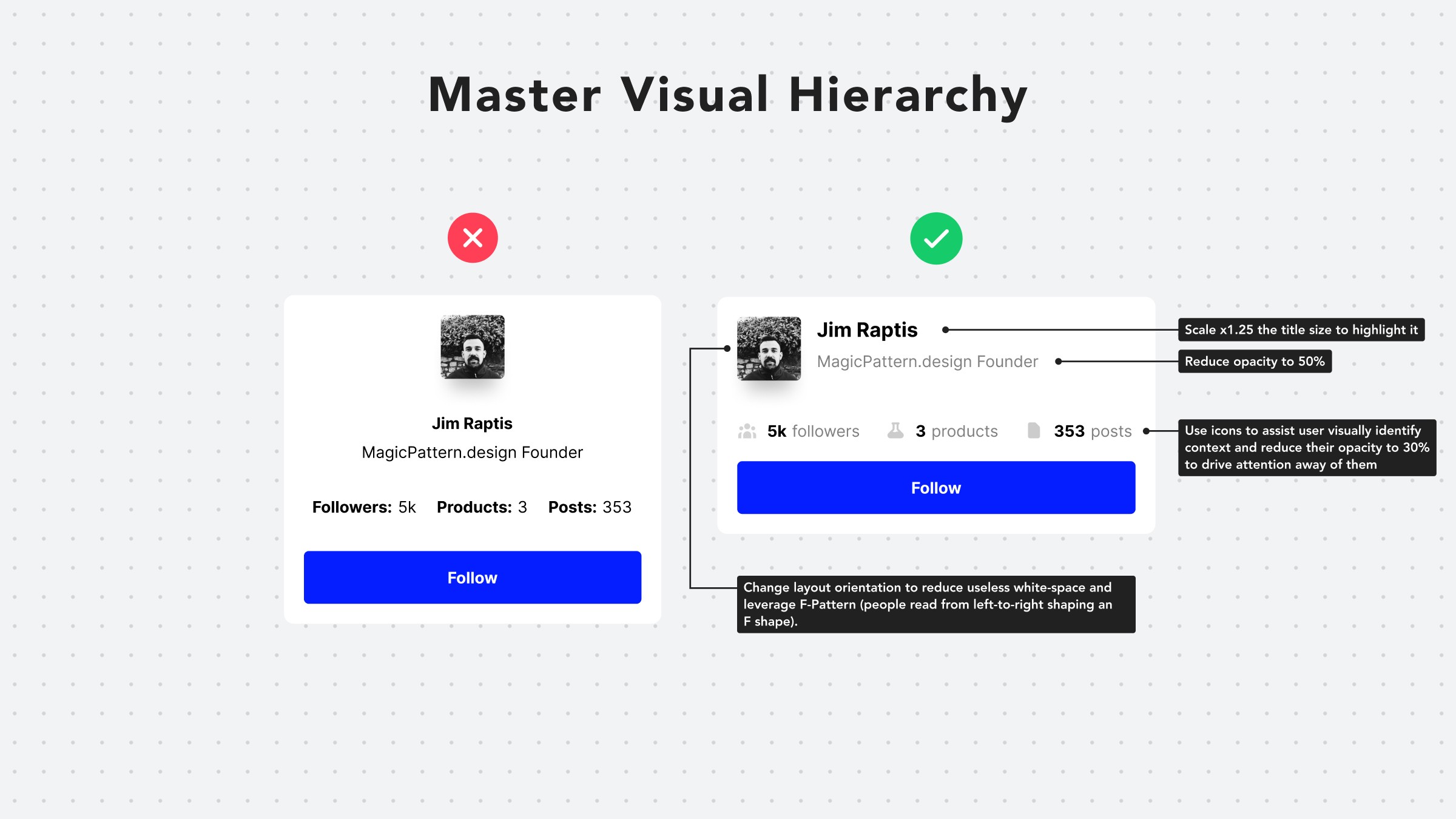
Hack visual hierarchy with these simple hacks: • Reduce the opacity of secondary info • Use bold font-weight to emphasize • Scale your title's size by a fixed ratio (eg x1.25) • Arrange elements to the left side (for LTR users) • Group together relevant elements

Hack Visual Hierarchy

Hack Visual Hierarchy

Hack visual hierarchy with these simple hacks: • Reduce the opacity of secondary info • Use bold font-weight to emphasize • Scale your title's size by a fixed ratio (eg x1.25) • Arrange elements to the left side (for LTR users) • Group together relevant elements

Hack Visual Hierarchy

Hack Visual Hierarchy

Hack visual hierarchy with these simple hacks: • Reduce the opacity of secondary info • Use bold font-weight to emphasize • Scale your title's size by a fixed ratio (eg x1.25) • Arrange elements to the left side (for LTR users) • Group together relevant elements

Visually Separate Elements

Visually Separate Elements

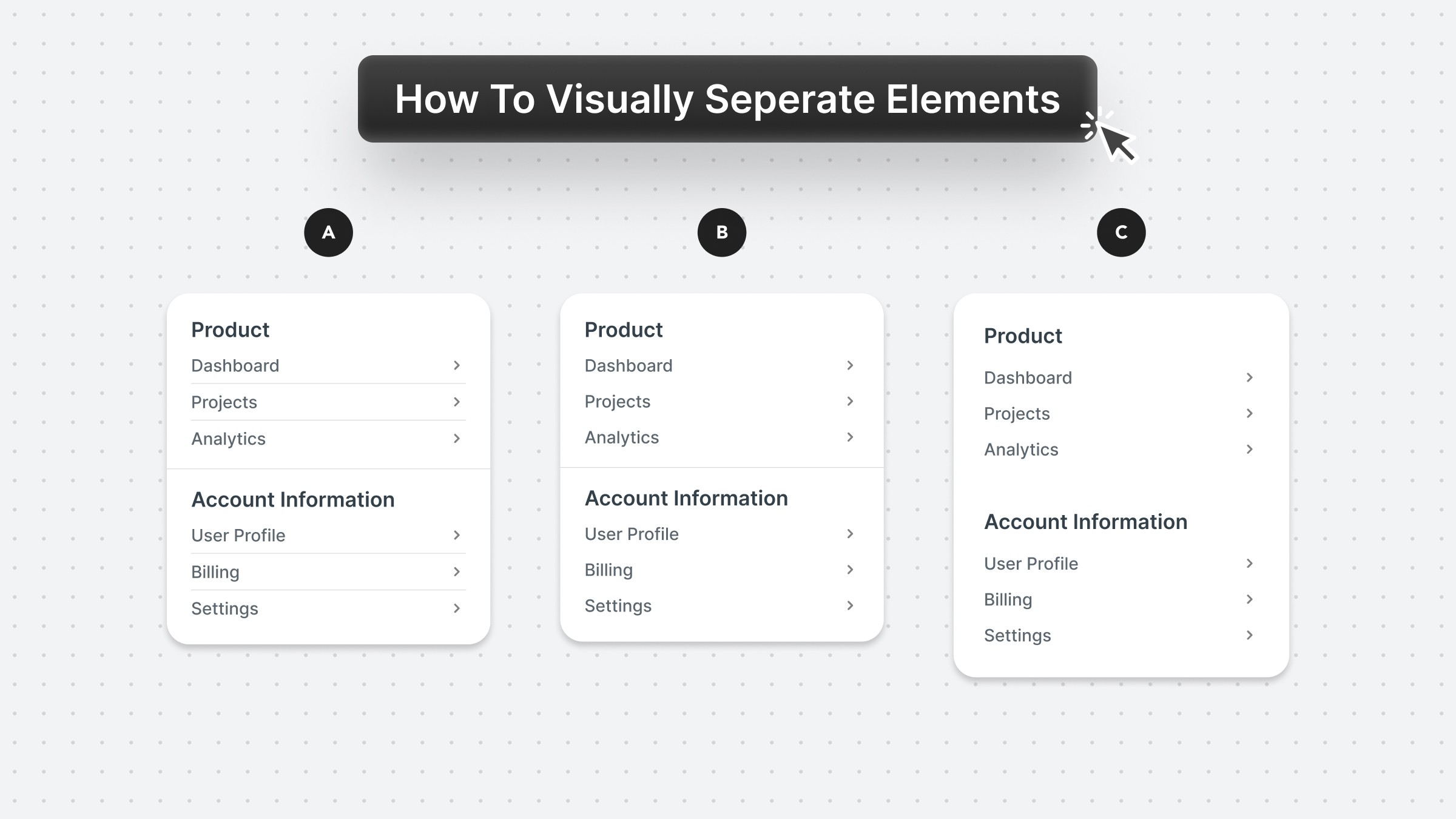
Prefer to visually separate menu sections with whitespace. Whitespace makes the UI look cleaner and request less cognitive effort from the user.

Visually Separate Elements

Visually Separate Elements

Prefer to visually separate menu sections with whitespace. Whitespace makes the UI look cleaner and request less cognitive effort from the user.

Visually Separate Elements

Visually Separate Elements

Prefer to visually separate menu sections with whitespace. Whitespace makes the UI look cleaner and request less cognitive effort from the user.

Ready to elevate your brand experience?Let’s connect and build something remarkable together.

Available For Work

04:54:59

WeChat: planificatrice

372900498@qq.com

Designed & Developed

by Yhgang

All rights reserved,

Yhgang ©2026

Ready to elevate your brand experience?Let’s connect and build something remarkable together.

Available For Work

04:54:59

WeChat: planificatrice

372900498@qq.com

Designed & Developed

by Yhgang

All rights reserved,

Yhgang ©2026

Ready to elevate your brand experience?Let’s connect and build something remarkable together.

Available For Work

04:54:59

WeChat: planificatrice

372900498@qq.com

Designed & Developed

by Yhgang

All rights reserved, Xiaoyou ©2025

Create a free website with Framer, the website builder loved by startups, designers and agencies.